Planned forAfter your approval
WhereWhatsApp · Anita · current conversation
Sends asCustomer message · draft for review
The words
Thanks for your enquiry. I’ll confirm the bulk price for 120 pieces before we proceed.
← your turn
POST is the AI business operating platform for Indian businesses. Bring customer conversations, CRM, ads and workflows together. Give it your business knowledge, then ask for the context and actions you need.
“Draft a reply to Anita about her wholesale enquiry.”
Thanks for your enquiry. I’ll confirm the bulk price for 120 pieces before we proceed.
Teach POST how your business works. Connect the platforms you already use. Manage customer work, review proposed actions and understand performance from one workspace.
Start with what needs doing. Keep the context, the work and the controls together.
The AI business operating platform
Customer communication, CRM, ads, workflows and business intelligence, connected through one AI Control Center. For independent owners, growing teams and established businesses in India.
AI Control Center
Ask about customers, business knowledge, revenue or ads. POST reads your connected business records and brings the context into the conversation. Reopen earlier chats and inspect the sources behind an answer.
Consequential actions enter the approval queue. You review the proposed action before it runs.
Watch the walkthrough →
Isolated sample workspace · synthetic business records. A real AI question retrieves confirmed business knowledge, with its tool result available to inspect.
Business Brain
Bring your product information, price lists and policies into POST. Business knowledge keeps owner-provided information, document evidence and public research distinguishable, so you can see where its understanding comes from.
Add documents and owner-approved facts. Review extracted information against its source before relying on it.
See how business knowledge works →
A real document-learning flow and an owner-approved business fact, using synthetic policies. Conversational policy updates are not shown.
Communication, customers, advertising and operations share the same workspace. Here is how the pieces fit.
03 · WhatsApp & customer communication
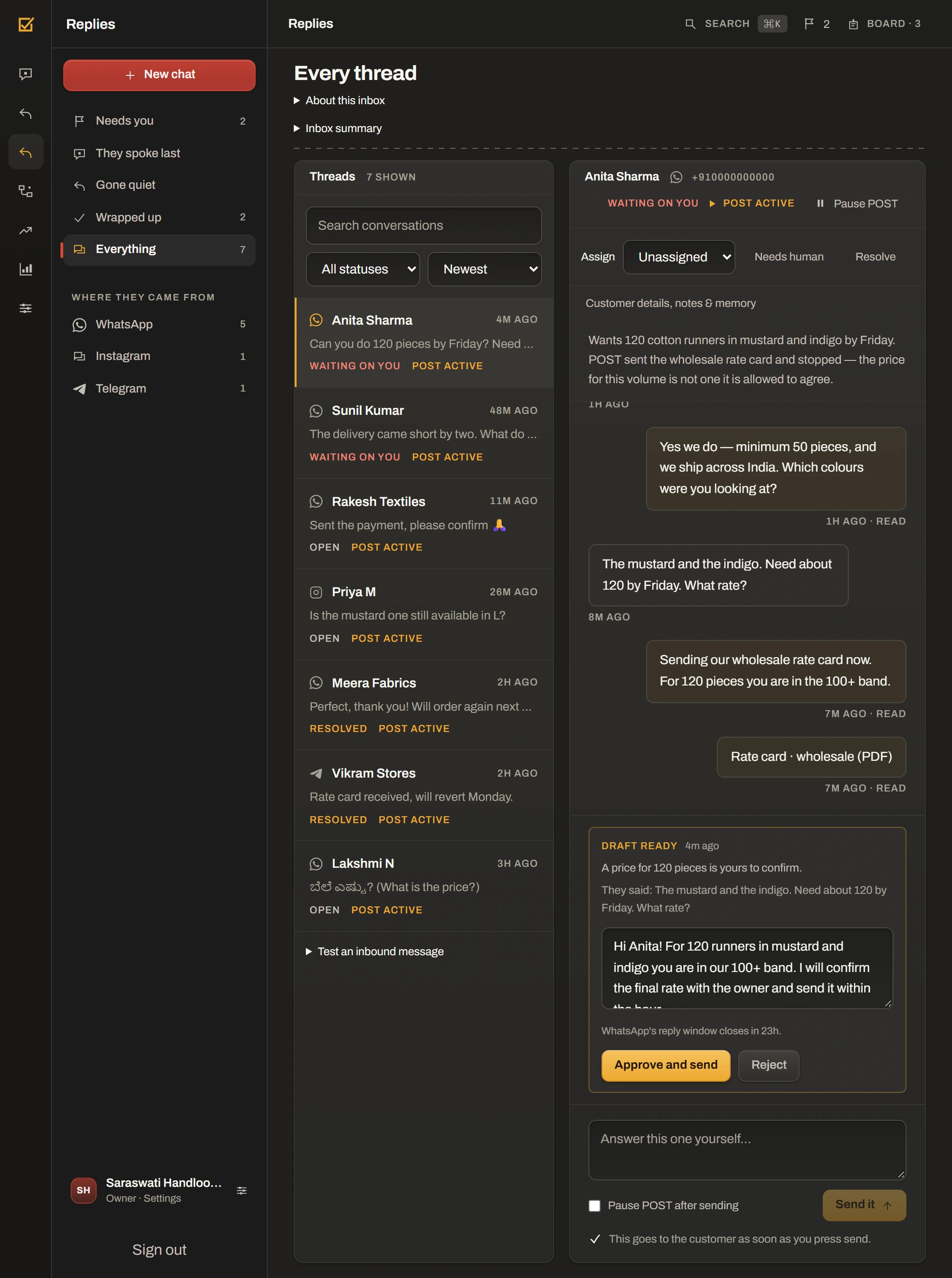
Read incoming enquiries, earlier replies and customer details together. Let AI answer within the mode you choose, or take over when a conversation needs judgement. Assign a teammate and keep internal notes beside the thread.
Pause AI on an individual conversation. Voice and language support depend on the configured provider.
Explore WhatsApp & customer communication →
04 · Ads Manager
Review Meta campaign results alongside the conversions POST can attribute to connected customer activity. Inspect recommendations, prepare campaigns and set the limits for advertising changes.
Review proposed changes and configure approval controls. Account eligibility, plan access and Meta requirements apply.
Explore Ads Manager →
05 · Workflows & automation
Use the workflow builder to choose a supported trigger, conditions and actions. Inspect the steps on a canvas, see previous runs and pause a rule when the business changes.
Ask the Control Center to inspect automations or propose pausing one. Build new rules in the workflow interface.
Explore Workflows & automation →
06 · CRM & customer intelligence
Search your leads and open a customer profile with conversation history, preferences, notes and connected order context. Track lead stages and qualification scores, then decide who needs a follow-up.
The same workspace records are available to the AI Control Center.
Explore CRM & customer intelligence →
07 · Analytics & business overview
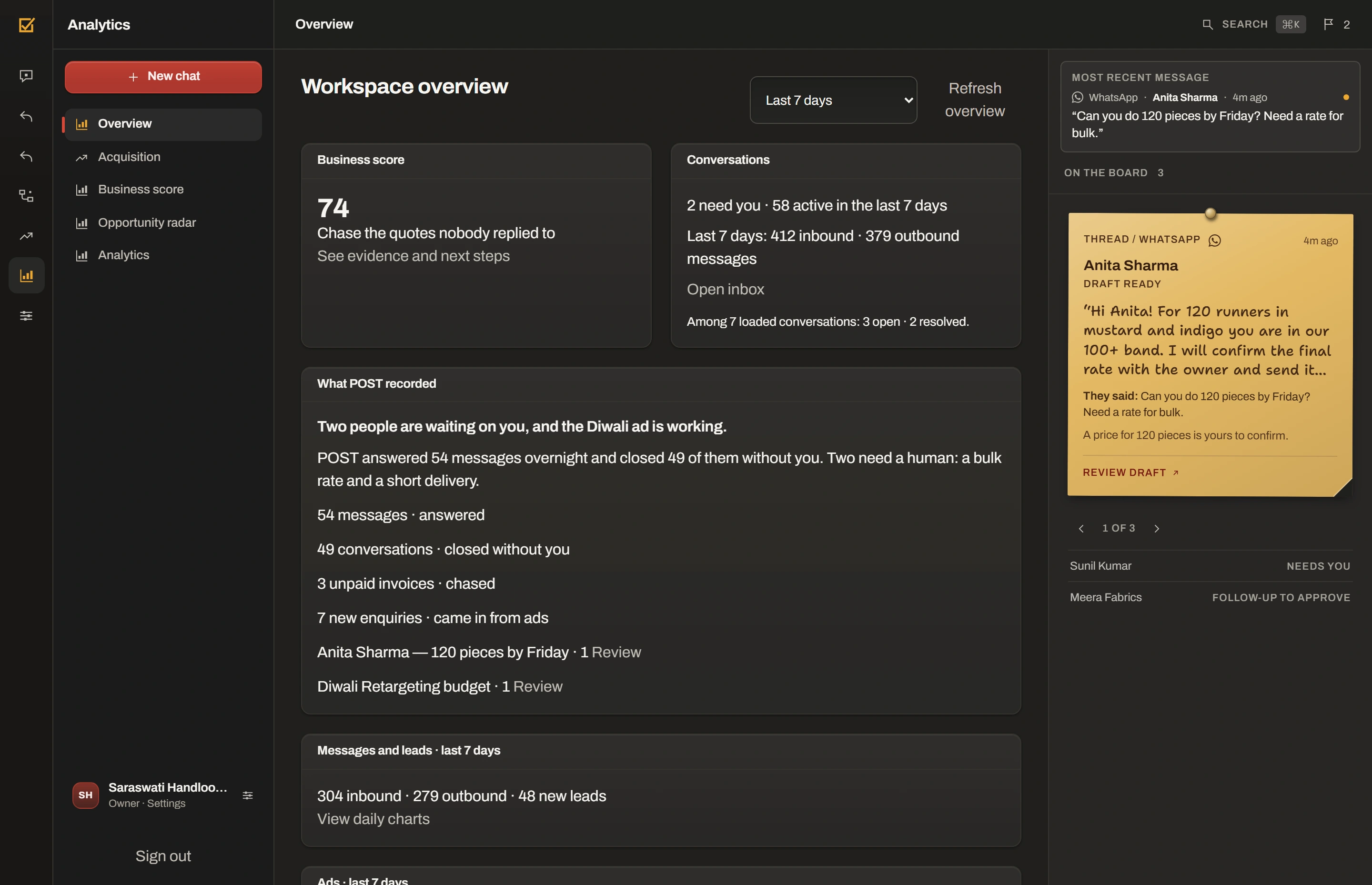
Review message volume, active conversations and lead outcomes over time. Use the overview, Business Score, Acquisition and Radar to find what needs attention and explore the records behind it.
Insights depend on the records and integrations connected to your workspace.
Explore Analytics & business overview →
Recorded in the current POST interface with synthetic records. The AI Control Center and Business Brain films use an isolated live demo workspace. Other films inspect preset records. No customer message is sent and no campaign is launched.
Open a customer conversation, check the day’s activity or review business knowledge. POST adapts to the screen you have with you.
Sample workspace · figures are illustrative
Conversations, customer records, campaigns and workflows live in one workspace. Move from an enquiry to its customer profile without piecing together separate tools.
Choose the sending mode and approval controls that fit your business.
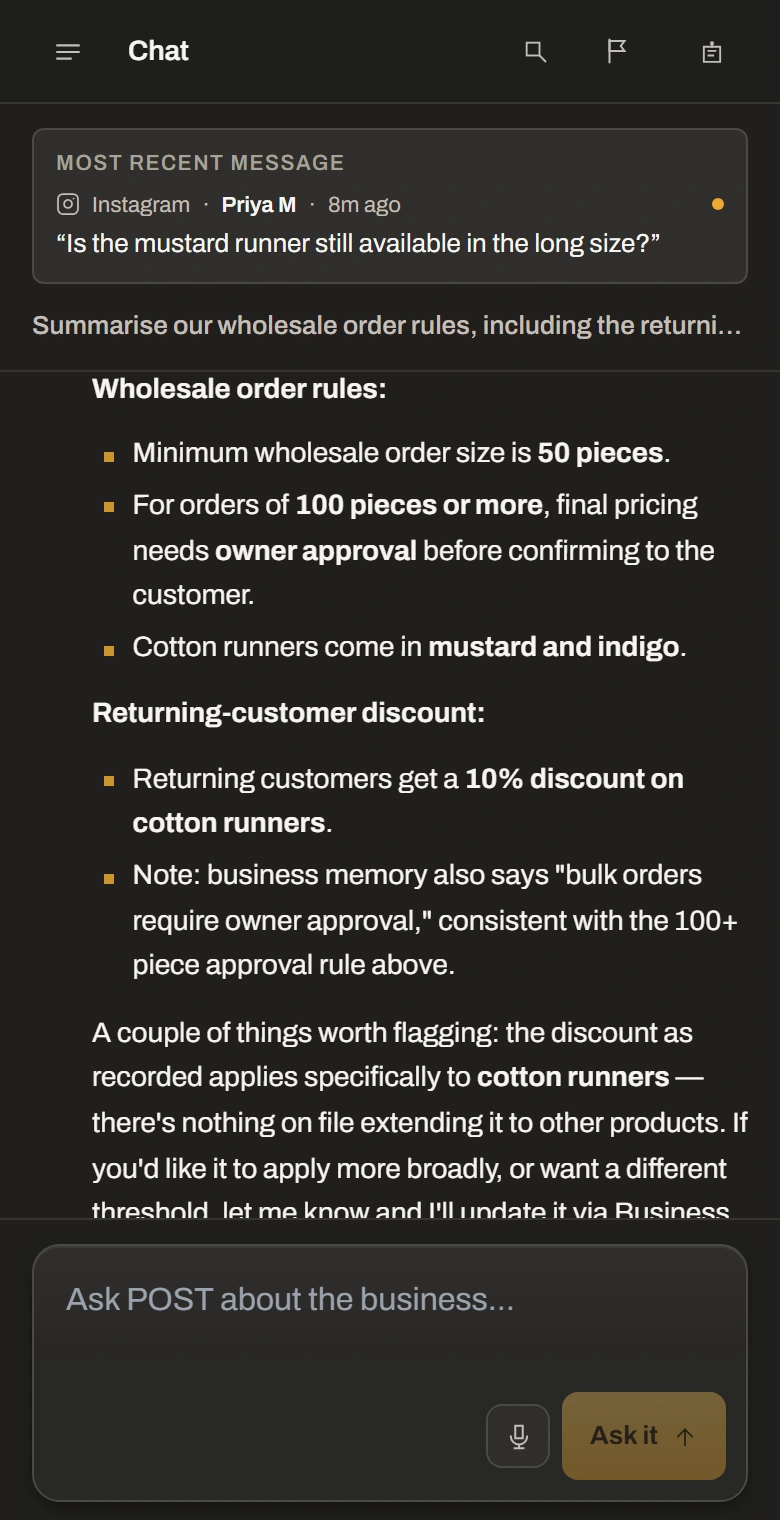
The mobile interface keeps navigation, conversations and knowledge within reach. The recordings on this page switch to the actual portrait layout on phones.
A real mobile layout, recorded at high density.
Ask for the context you need. Add the knowledge POST should use. Set up repeatable work in the builder and review consequential proposals before they run.
Ask the Control Center · retrieve confirmed business knowledge
Add business knowledge · inspect the document evidence
Build a workflow · choose a trigger, conditions and actions
Open Ads Manager · inspect the proposal and guardrails
6 supported connections. Your accounts, connected to one workspace.
Availability depends on your account, permissions and provider requirements. Connect an eligible account during setup; an integration listed here does not remove the provider’s approval process.
Why this exists
We use the same models everyone else does. We didn’t train one.
That was never the hard part. The hard part is the message actually going out — to the right person, at the right time, with the right controls in place.
So that’s what we built.
It’s early. If something’s wrong, tell me.
Tenant-scoped access and database isolation controls separate business records between workspaces.
Owner, admin, operator and viewer permissions are enforced on protected server operations.
Stored provider credentials use encryption. Connection screens show status without exposing saved keys.
Audit records track supported workspace changes, with review and export tools for your team.
Monthly prices in rupees. 14 days free, no card needed.
₹500/month
Billed monthly₹1,299/month
Billed monthly₹3,499/month
Billed monthly₹8,999/month
Billed monthlyAI usage and plan limits apply. External provider charges, including Meta messaging fees, are separate. Confirm the current catalog and terms before subscribing.
Compare plans and allowances →Create your workspace now. Fourteen days free, no card needed.